How to Keep Character Consistency in NSFW AI Images (Character Consistency NSFW AI)
A deep, repeatable workflow to keep the same character across NSFW AI generations using anchors, references, seeds, and targeted edits.
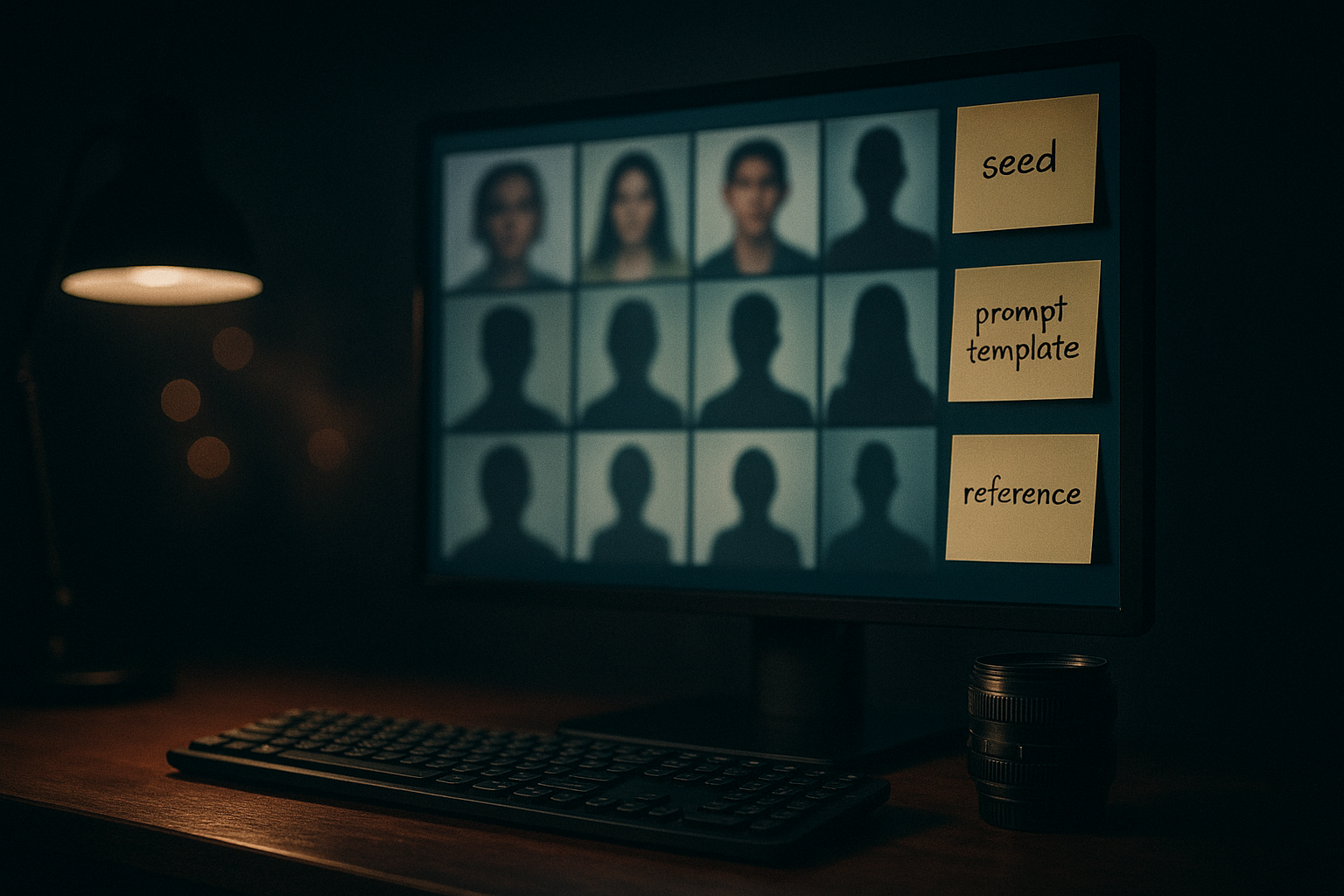
If you create NSFW-context AI images in sets—multiple scenes, multiple angles, multiple outfits—the hardest part usually isn’t “making a good image.” It’s keeping the same character when you generate image #2, #12, and #40.
Character consistency is what separates a one-off win from a repeatable creator workflow—especially when your goal is to keep the same character across generations (not just get one good shot). It’s also where most generators (and most prompting habits) fall apart: one prompt tweak too many, a lighting swing, a pose change, and your character quietly turns into someone else.
This guide is narrowly focused on character consistency in NSFW AI images—how to keep identity stable across repeated generations, without drifting into beginner setup or generic “better quality” advice. Everything stays PG-13 and technique-first.
Key takeaways
Consistency is a system, not a single trick. You’ll get the best results by combining prompt anchors + reference images + seed discipline + targeted edits.
Don’t change five variables at once. Treat identity as a baseline you protect, and vary scene elements in controlled increments.
Use “consistency anchors.” A short, reusable character block (traits + wardrobe + style) repeated across prompts prevents accidental omissions.
Know your intervention ladder. Small drift → inpaint; medium drift → img2img with low denoise; persistent drift → reference stack / LoRA.
Most failures are workflow failures. Missing descriptors, inconsistent lighting, random seeds, and “prompt sprawl” create drift faster than any model limitation.
The real reason characters drift (and what “consistency” actually means)
Before tactics, align on the problem.
When people say “keep the same character,” they usually mean a bundle of attributes:
Identity: face shape, eye spacing, hairline, overall “recognizability”
Signature traits: hair color/style, defining accessory, silhouette, proportions
Style lock: the same rendering style (realistic vs stylized), lens/lighting feel, texture
Wardrobe continuity: outfit details staying stable unless intentionally changed
Most “drift” happens because generation is an optimization process with too many degrees of freedom. If your prompt under-specifies identity and over-specifies scene/style, the model will happily trade identity for novelty.
A useful mental model:
Identity is what you protect.
Scene is what you vary.
Randomness is what you manage. (Seeds, strength, and reference weights)
When you mix them, the model mixes them.
If you’ve been fighting drift for a while, you’re not alone: creators across the ecosystem keep running into the same root causes—weak identity anchors, too many moving variables, and not enough use of reference + targeted edits (see the combined best practices in Artsmart’s AI character consistency guide and the Replicate Stable Diffusion guide linked later in this article).
Pick your consistency method based on how many images you’re making
There isn’t one best technique. There’s a best technique for your workload.
Use this quick decision framework for building consistent character AI images at different project sizes:
You need 5–15 images, same character, small variations
Best bet: prompt anchors + seed discipline + light inpainting
You need 15–50 images, bigger scene/pose range
Best bet: reference images + controlled variation + img2img for continuity
You need 50+ images, a long series, or multiple outfits/angles
Best bet: reference stack (identity reference + structure reference) or a character LoRA
Key Takeaway: The higher the image count, the more you should invest in reusable identity assets (reference set, character sheet, LoRA) instead of trying to “prompt harder.”
Character consistency NSFW AI: a repeatable step-by-step workflow
This is the workflow you can run like a loop. Each step has an input, an action, and a clear “done when…” check.
Step 0 — Set your “fixed variables” (so your baseline doesn’t move)
Input: your current model/tool setup
Action: Decide which variables you will keep stable for the entire set:
Output resolution (keep it constant if possible)
Sampler/scheduler (don’t swap mid-series)
A reasonable, stable guidance/CFG range
A consistent style block (photoreal vs stylized, lens/lighting)
Why this matters: many tools behave differently when you change resolution, sampler, or strength settings. Even with the same seed, changing size can break repeatability; Replicate’s Stable Diffusion guide explains how seed affects repeatability and why changing dimensions breaks consistency (Stable Diffusion: seed behavior and reproducibility).
Done when: you’ve written down (or saved as a preset) the fixed variables you won’t touch.
Step 1 — Build a “Character Anchor Block” (copy-pasteable identity capsule)
Input: your intended character concept
Action: Write a short, reusable character description that includes only identity-critical traits.
A strong Character Anchor Block is:
Specific enough to be distinctive
Short enough to reuse without bloating prompts
Neutral and PG-13
Stable across every image
Template (recommended):
Identity: age framing + face/hair anchors
Signature traits: 2–4 visual identifiers
Wardrobe: a stable “default outfit” line
Style: 1 line that keeps rendering consistent
Example (PG-13):
adult character, consistent identityoval face, straight dark hair with blunt bangs, small beauty mark on left cheeksoft brown eyes, neat eyebrows, calm expressionblack turtleneck sweater, thin silver necklacecinematic 35mm photo, soft film grain, shallow depth of field
Done when: you can paste this block into any prompt and the character still makes sense.
Step 2 — Write a “Scene Block” that can change without touching identity
Input: the shot you want (pose, location, lighting)
Action: Separate scene variables from identity variables. Your prompt should have two clear regions:
Character Anchor Block (fixed)
Scene Block (variable)
Scene Block checklist:
Camera framing: close-up / medium shot / full-body
Pose: standing, sitting, turning, looking over shoulder
Expression: neutral, slight smile, focused
Background: studio backdrop, city night, interior room
Lighting: rim light, soft key, window light
Done when: you can rewrite the Scene Block without editing the Character Anchor Block at all.
Step 3 — Create a “Negative Prompt Guardrail” (anti-drift filters)
Input: the most common failure modes you see
Action: Build a short negative list that targets consistency issues—not generic “bad quality.”
Think in terms of drift:
“wrong hair color”
“wrong outfit”
“face changed”
“extra accessories”
“age drift”
PG-13 guidance: keep it neutral. Avoid explicit body terms. You’re protecting identity, not describing adult content.
Done when: the negative block removes your top 2–3 drift problems without over-constraining everything.
Step 4 — Choose your reference strategy (none / single / stack)
Input: how strict you need identity to be
Action: Pick one:
Option A: No reference images (fastest, least consistent)
Use when: you’re making a small set and your Character Anchor Block is strong.
Option B: Single reference image (best default)
Use when: you want reliable face/hair consistency across scenes.
Best practice: pick a neutral lighting image where face + hair are clear. If your reference is heavily stylized or heavily shadowed, it can “bake in” unwanted variance.
Option C: Reference stack (highest consistency without training)
Use when: you need big pose/angle variation and stable identity.
A common stack is:
Identity reference (face/character likeness)
Structure reference (pose outline, silhouette, camera framing)
A Stable Diffusion–oriented method pairs a structure guide (like edge/outline conditioning) with a face/identity guide. Stable Diffusion Art demonstrates a workflow combining Canny-based structure control and a FaceID-focused IP-Adapter approach; see their guide on creating a consistent character from different viewing angles.
Done when: you can generate 5 images with different poses and still recognize the same character immediately.
Step 5 — Lock seed only after you have a “master look”
Input: your best current output
Action: Use seed locking strategically.
Seed locking is great for:
Keeping composition stable while you tweak small text changes
Iterating on outfit details without re-rolling the whole image
Seed locking is not great for:
Solving a weak identity description
Forcing the model into a radically new pose while “keeping everything else”
A simple discipline:
Generate a batch with random seeds until you hit a “master” version of the character.
Save that seed and treat it as a baseline.
When you need a new pose or major scene shift, unlock seed again.
Replicate’s guide also notes that changing image dimensions breaks consistency even with a fixed seed (covered in the same seed/reproducibility section referenced above).
Done when: you have a saved baseline seed + prompt that reliably reproduces the “master look.”
Step 6 — Use the “intervention ladder” (don’t overcorrect)
Input: a drift problem (face changed, hair shifted, outfit swapped)
Action: Choose the smallest intervention that fixes the issue.
Level 1: Prompt-only correction
Add one missing trait back into the Character Anchor Block.
Remove conflicting style terms from the Scene Block.
Level 2: Targeted inpainting (inpainting for consistency)
Mask only the drifted region (e.g., hairline, accessory).
Keep change strength low enough to preserve the surrounding identity.
Level 3: img2img for continuity
Start from a prior “good” image.
Use a lower denoising/prompt strength to preserve identity.
Replicate summarizes the intuition clearly: higher prompt strength changes more; lower values preserve more of the original (see the img2img/inpainting prompt-strength guidance in the Replicate guide linked earlier).
Level 4: Reference stack / identity lock
Add or strengthen identity reference.
Add structure reference when pose changes are breaking similarity.
Level 5: Train a character LoRA (when the project is big enough)
If you’re building a long series (50+ images) and drift costs you hours, training is often worth it.
Artsmart describes training a lightweight character LoRA on a small set of images as the most reliable long-term option for long projects (covered in the same Artsmart character-consistency guide referenced earlier).
Done when: you fix drift without introducing new drift (like “fixed the face, broke the hair”).
Pro Tip: If you find yourself doing Level 2 inpainting on every image, you’re under-invested in the anchor/reference stage. Strengthen the system instead of endlessly patching outputs.
Prompt structure that stays stable under iteration (NSFW prompting)
The biggest consistency killer is “prompt sprawl”—prompts that accumulate random descriptors over time until they contradict themselves.
Use a strict order:
Character Anchor Block (fixed)
Wardrobe block (fixed unless intentionally changing outfits)
Scene block (variable)
Camera + lighting block (semi-fixed; vary slowly)
Style + quality block (fixed)
A practical rule: if you can’t explain why a word is in your prompt, it doesn’t belong there.
To keep this article narrowly focused (and avoid generic prompting advice), here’s the only “NSFW prompting” principle you need for consistency: your prompt should describe identity like a spec, not like a vibe. Keep the Character Anchor Block factual and repeatable; keep the scene creative.
A reusable prompt template (PG-13)
You can copy/paste this and swap only the bracketed fields.
[CHARACTER ANCHOR BLOCK]

  Wardrobe: [default outfit line]

  Scene: [location], [pose], [framing], [expression]
  Lighting: [key light], [background mood]
  Camera: [lens/film look]

  Negative: [anti-drift guardrail]
Done when: you can generate 10 images by changing only the Scene line while keeping identity stable.
How to change outfits without losing the character
Outfit changes are a classic drift trigger because the model treats “new outfit” as “new person.”
Use one of these approaches:
Approach 1: Outfit slots (controlled variation)
Keep the Character Anchor Block identical. Create an outfit slot that you swap intentionally.
Outfit A:
black turtleneck sweater, thin silver necklaceOutfit B:
white button-up shirt, rolled sleeves, thin silver necklace
The constant element (necklace, hairstyle, facial markers) acts as a continuity bridge.
Approach 2: Outfit reference set
Use 2–3 reference images:
One neutral identity reference (face/hair)
One outfit reference (full-body or torso)
This mirrors Artsmart’s recommendation to use multi-reference blending to reduce drift across changes (see their character-consistency guide linked earlier).
Approach 3: “Generate outfit, then lock identity”
Generate the new outfit image until it’s right.
Then use that as a new baseline for that outfit series.
Done when: the character remains recognizable even when the wardrobe changes.
Hard mode: consistency across angles, poses, and lighting
If you’re pushing big changes—profile shots, dramatic angles, new environments—identity drift will spike.
Here’s how to keep it under control.
Control the pose separately from the face
When pose changes break identity, you’re asking the model to solve too much at once.
The “reference stack” approach separates concerns:
Structure guidance (silhouette/pose) keeps the body and framing stable.
Identity guidance keeps face/hair stable.
Stable Diffusion Art’s multi-angle workflow is a practical illustration: a structure control (Canny) plus identity control (FaceID IP-Adapter), plus face refinement with ADetailer (details in their same viewing-angle guide referenced earlier).
Vary lighting slowly
Lighting is a stealth identity modifier. Extreme lighting can change perceived age, facial structure, and hair color.
If you need variety, vary one dimension at a time:
Keep key light direction stable, change background
Keep exposure stable, change color temperature
Keep contrast stable, change environment
Done when: you can produce a 3-image set (soft light / neutral / moody) and the face still reads as the same person.
Multi-character scenes: avoid identity swapping
If you generate multiple characters in one frame, you’re increasing the chance of:
blended faces
swapped traits
inconsistent identity strength per character
Practical workaround:
Generate characters separately with strong identity anchors.
Composite later (or use tools designed for multi-character reference).
Artsmart calls out multi-character scenes as a common failure mode and suggests separate generation to prevent blending (see their guide linked earlier).
Done when: each character retains their own stable identity across the scene.
Troubleshooting: the 10 most common consistency failures (and the fastest fixes)
1) “The face changes every time I change the pose.”
Likely cause: identity anchoring is weaker than pose variation.
Fix: add an identity reference (or strengthen it) and use structure guidance for pose. If you can’t use references, tighten the Character Anchor Block and reduce the number of simultaneous changes.
2) “Hair color shifts under different lighting.”
Likely cause: hair description is vague; lighting is too extreme.
Fix: specify hair color in the Character Anchor Block and avoid drastic lighting swings between consecutive images.
3) “Outfit details won’t stay consistent.”
Likely cause: outfit is under-specified; too many clothing adjectives conflict.
Fix: describe fewer, more distinctive details (color + one signature item). Use a torso/full-body reference if needed.
4) “My prompt keeps growing and results get worse.”
Likely cause: prompt sprawl and contradictions.
Fix: reset to the template: Character Anchor Block + Scene Block. Remove anything not essential.
5) “The character looks right, but the vibe/style keeps changing.”
Likely cause: style terms are in the variable section.
Fix: move style and camera language into the fixed block; keep it constant.
6) “Seed locking makes everything feel stuck.”
Likely cause: you’re trying to force big changes with a locked seed.
Fix: unlock seed for major scene shifts; lock only to iterate within the same composition.
7) “Inpainting fixes one issue but creates another.”
Likely cause: mask too big; strength too high.
Fix: mask smaller regions; lower strength; inpaint in stages.
8) “The character slowly ages or changes over a long set.”
Likely cause: you’re not repeating age/identity framing consistently.
Fix: keep the adult framing consistent; repeat identity markers; periodically regenerate a ‘master’ baseline.
9) “Reference images make the result look pasted-on or over-constrained.”
Likely cause: reference strength too high.
Fix: reduce identity weight slightly and let scene/style breathe—especially when changing environments.
10) “I can’t get consistency at all across 50+ images.”
Likely cause: you’re beyond what prompt-only workflows can sustain.
Fix: commit to a stronger asset: a reference stack workflow or a character LoRA trained on your character.
⚠️ Warning: If you can’t guarantee adult-only framing in your workflow, don’t generate. Keep your prompts and references clearly adult, and avoid ambiguous age language entirely.
A minimal “consistency checklist” you can reuse every time
Use this as a pre-flight check before you generate a new batch.
Character Anchor Block is present and unchanged
Wardrobe block matches the intended outfit
Scene block is the only thing you changed
Style/camera block is fixed
Negative guardrail is applied
Seed is unlocked for exploration / locked only for controlled iteration
References (if used) are neutral-lit and clearly adult
If drift appears: use the intervention ladder (prompt → inpaint → img2img → references → LoRA)
Where DeepSpicy fits (one practical example)
If you want a single place to run a consistency workflow—generate, then fix small drift fast—look for a tool that supports both character consistency controls and precision editing (inpainting, negative prompts, targeted prompt edits).
As one example, the DeepSpicy NSFW AI Generator is positioned specifically around creator control (including character consistency) plus editing tools, which fits the “intervention ladder” approach: you generate a baseline, then correct drift with targeted edits instead of re-rolling everything.
Next steps
If your goal is a long, coherent set—not a single lucky image—treat consistency like a production system:
Build a reusable Character Anchor Block.
Add references when the project size demands it.
Use seed locking for controlled iteration (not for forcing big changes).
Fix drift with the smallest intervention that works.
If you’re testing workflows and want an environment designed for private, creator-first iteration, you can try a generation + edit loop in DeepSpicy and see whether it reduces drift-fixing time in your own process.