How to Create Realistic NSFW AI Images — Cinematic Guide
Step-by-step guide to create realistic NSFW AI images with cinematic composition; includes SDXL prompts, ControlNet/IP-Adapter tips, negative prompts, and privacy best practices.
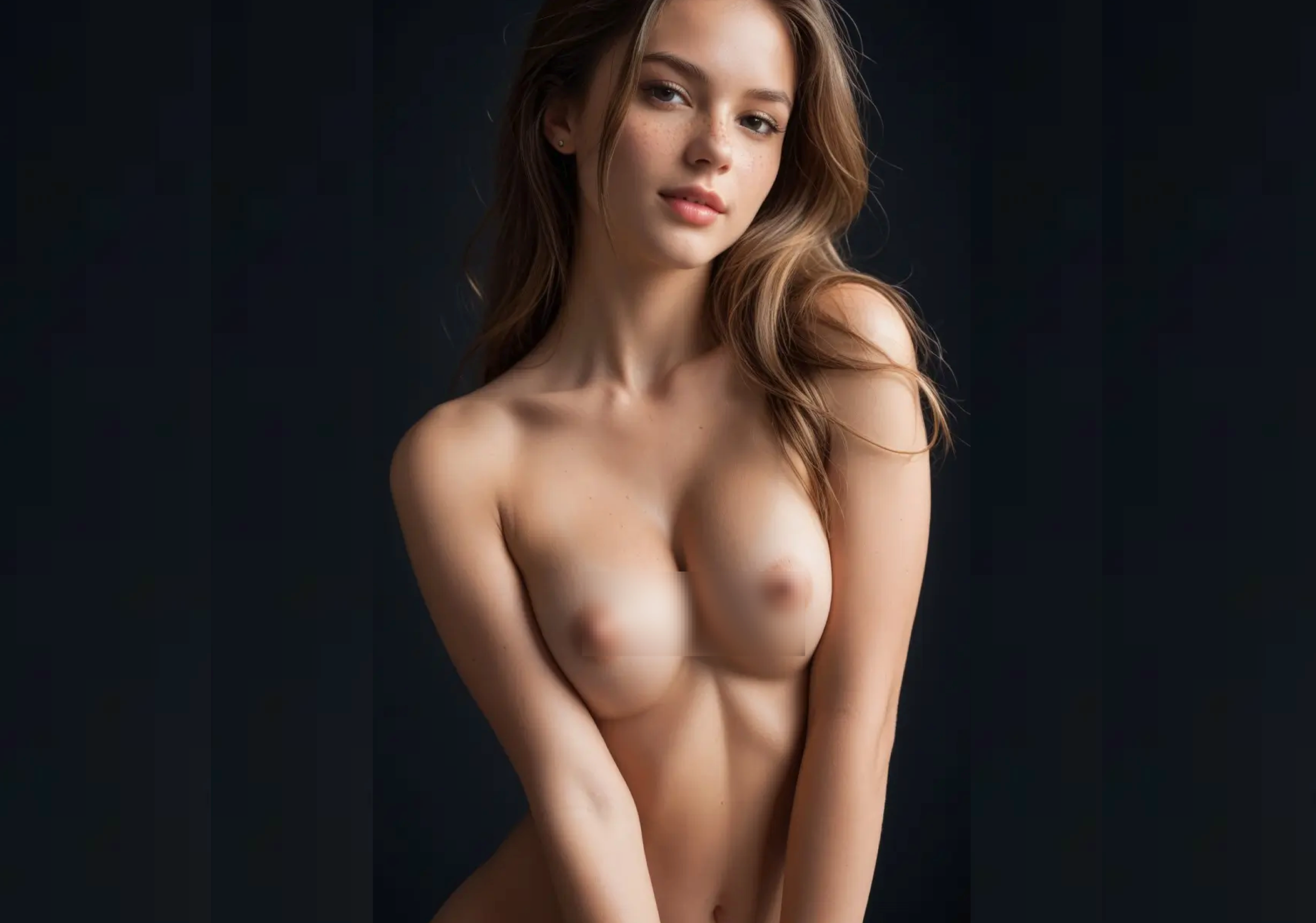
Note: Mosaics in the image were applied manually
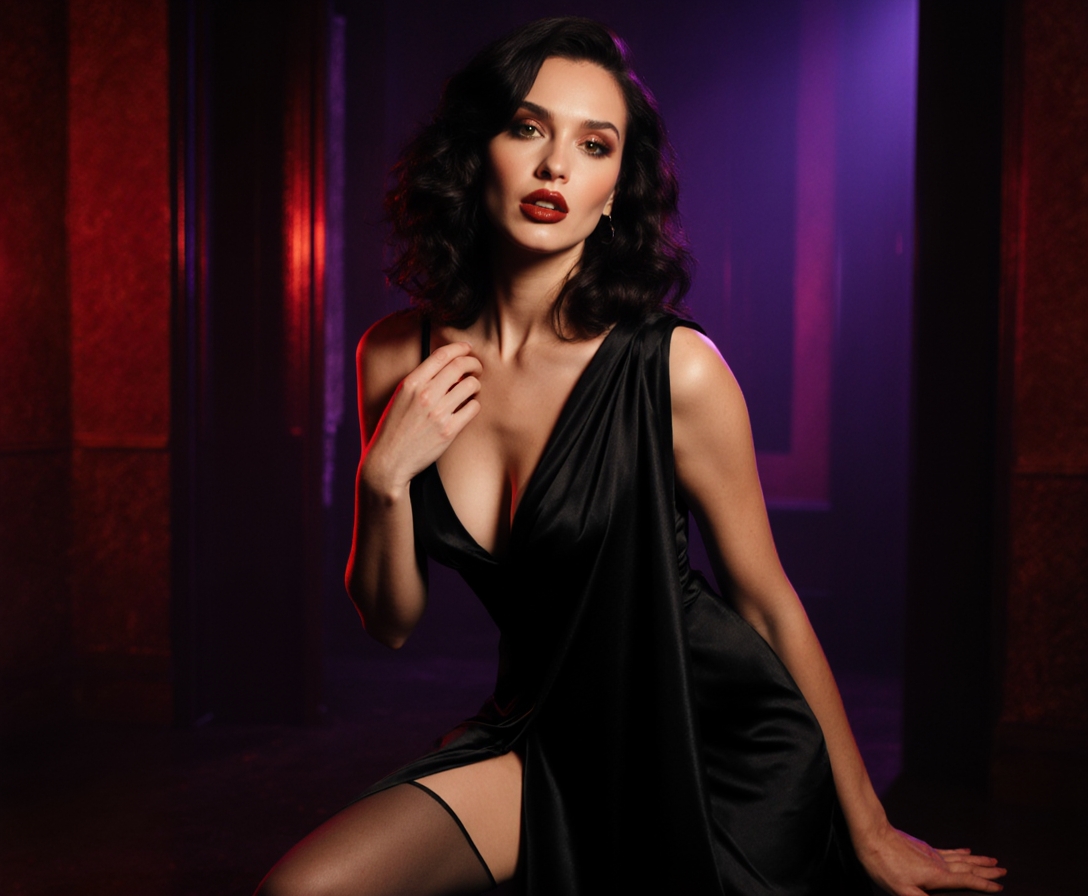
If you can write a decent prompt but your results still look flat or plastic, this guide is for you. We’ll walk through a practical, reproducible workflow to create realistic NSFW AI images with a focus on immersive composition and cinematic framing. Scope-wise, we’ll keep it tasteful—mature themes and partial nudity only—and avoid explicit sexual act descriptions. You’ll learn how to plan a “shot,” map photographic language to prompts, set reliable SDXL parameters, and refine results with ControlNet, IP-Adapter, LoRA, and inpainting.
Quick safety and privacy checklist
Depict consenting adults only; follow your local laws and platform terms.
Prefer local generation for NSFW projects (e.g., Automatic1111 or ComfyUI) to keep assets private; review provider policies if you must use cloud tools.
Strip metadata before sharing. Example:
exiftool -overwrite_original -all= file.jpg(see the concise commands in the official ExifTool examples).Be mindful of what you publish or store; read privacy guidance such as the EFF’s practical advice in how to manage your digital footprint.
Photography-to-prompt lexicon for cinematic immersion
Think like a photographer first, then translate intent into prompt tokens. A few anchors:
Focal length and shot type
35mm: balanced context, great for half- or full-body; a touch of perspective.
50mm: natural perspective; versatile upper-body portraits.
85mm: classic portraits; compresses features for flattering close-ups. Guidance on how focal lengths shape portraits is well explained in Fstoppers’ portrait focal length overview.
Aperture and depth of field
f/1.4–f/2.0: shallow DoF, creamy background; strong subject isolation.
f/2.8–f/4: more context without losing separation. For fundamentals, see Photography Life’s depth of field guide.
Lighting cues for body shaping and mood
Rim/backlight: edge highlight that sculpts the body and adds separation.
Low-key: darker, contrasty look with dramatic shadows.
Golden hour: warm, soft, directional—ideal for cinematic portraits.
Translate these to tokens such as “35mm lens, shallow depth of field (f/1.8), rim lighting, low-key, golden hour color grading.”
An SDXL prompt scaffold for realistic NSFW AI images
Use modular building blocks so you can iterate fast without losing control. If you’re compiling a starter set of NSFW Stable Diffusion prompts, begin with this structure and swap modules per scene.
Subject + qualifiers: age-appropriate adult, body type, hair, distinctive features
Pose/action: standing, three-quarter torso, head tilt, gaze to camera
Environment: studio, soft backdrop, urban loft, bedroom window light
Lens/camera: 35mm, 50mm, 85mm; shallow depth of field; cinematic framing
Lighting: softbox key, rim/backlight, golden hour, low-key
Texture/realism: skin pores, subsurface scattering, peach fuzz, natural freckles; no plastic skin
Quality anchors: photorealistic, detailed, natural color, filmic grade
Example scaffold (tasteful partial nudity):
adult subject, three-quarter torso, tasteful partial nudity, relaxed posture, subtle expression,
  studio set with soft backdrop, cinematic framing,
  35mm lens, shallow depth of field (f/1.8), rim lighting, warm golden hour color grading,
  skin pores, subsurface scattering, peach fuzz, natural freckles,
  realistic anatomy, photorealistic, natural color, fine detail
Concise negative prompt starter:
lowres, text, watermark, deformed, extra limbs, extra fingers, fused fingers, duplicate limbs,
  blurry, plastic skin, over-smoothing, mutated hands
Parameter notes (SDXL text-to-image at ≈1024p): Steps 30–50; CFG 7–10; samplers like DPM++ 2M Karras or DPM++ SDE Karras. For practical baselines and why these ranges work, see this clear SDXL optimization overview by Félix Sanz.
Project 1: A cinematic portrait (beginner)
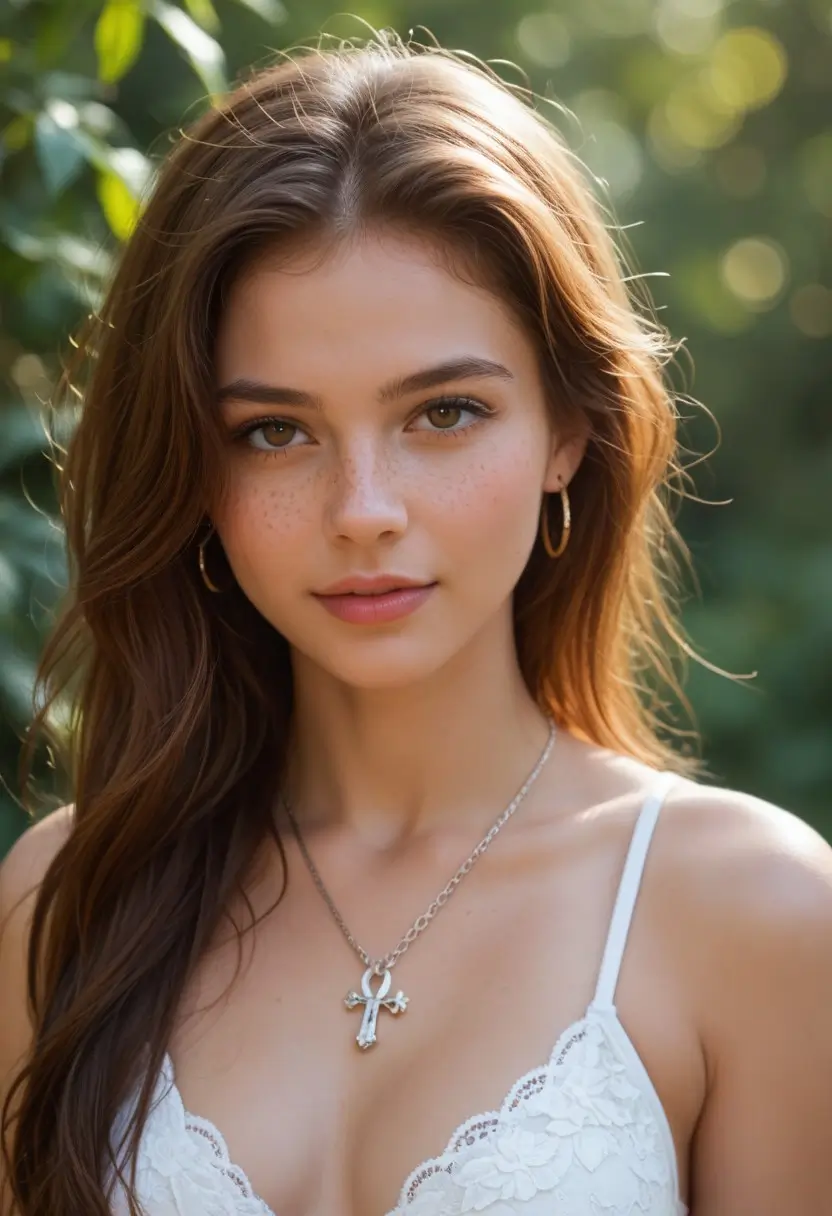
Goal: A believable upper-body portrait with immersive framing and tasteful partial nudity.
Suggested settings
Model: an uncensored SDXL-compatible photoreal checkpoint.
Resolution: 1024×1365 (portrait) or 1024×1536 for taller framing.
Sampler/steps: DPM++ 2M Karras, 40 steps.
CFG: start at 8; test 7–10.
Batch: 8–16 images; save seeds and params.
Prompt (adapt from scaffold):
adult subject, upper body, tasteful partial nudity, calm expression,
  cinematic studio portrait, 50mm lens, shallow depth of field (f/2.0),
  softbox key, subtle rim light, warm golden hour color grading,
  skin pores, subsurface scattering, peach fuzz, natural freckles,
  realistic anatomy, photorealistic, natural color, 8k detail
Negatives:
lowres, text, watermark, deformed, extra fingers, extra limbs, fused fingers, duplicate limbs,
  blurry, plastic skin, over-smoothing, mutated hands
Refinement passes
Hi-res pass or upscale ~1.5×; inspect hands, face, skin.
Inpainting for micro-fixes (A1111 img2img → Inpaint): denoise 0.2–0.4, Masked area “Only masked,” Masked content “Original,” steps ≈20–30; run 4–8 variants for faces/hands.
Color finish: a light filmic grade (keep skin tonality realistic; avoid over-saturation).
What to look for
Natural compression and perspective from the chosen focal length.
Skin with micro-texture (pores, fine hair), not plastic blur.
Light direction that sculpts collarbones and shoulders without harsh clipping.
Project 2: Three-quarter torso with pose control (intermediate)
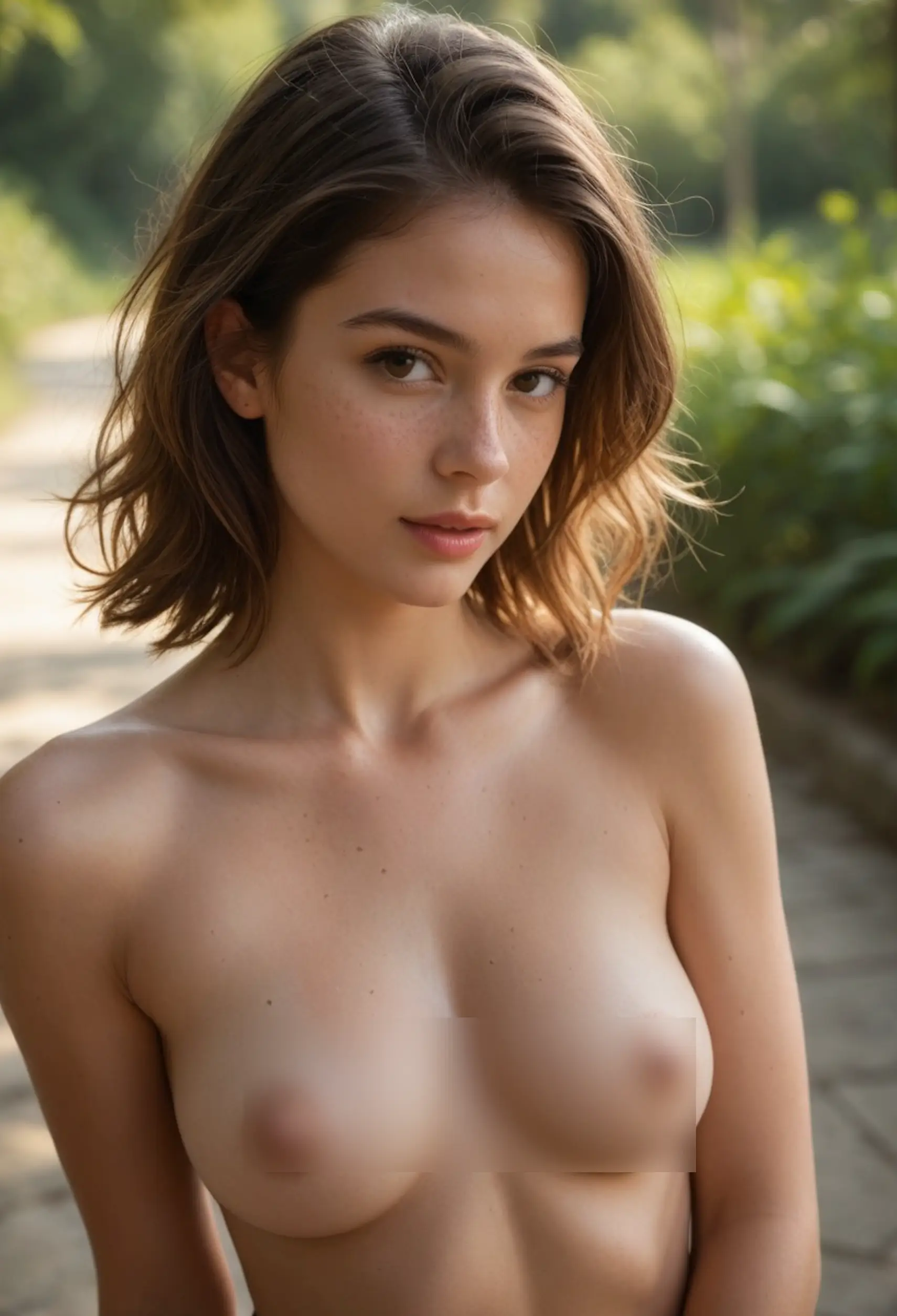
Goal: Maintain immersion while enforcing pose and identity.
Setup
Base: Generate a seed image you like from Project 1.
ControlNet: OpenPose to lock pose (~1.0 weight) and optionally Depth (0.6–0.9) for spatial realism. A solid starter on SDXL ControlNet configuration is this practical how-to on ControlNet for SDXL in Automatic1111.
IP-Adapter: For facial consistency, FaceID or Plus at 0.6–0.9; add 1–3 clean face references. Official docs: IP-Adapter GitHub by TencentARC.
Txt2img to img2img flow
Start with img2img using your favorite seed; denoise 0.3–0.5 for meaningful but controlled change.
ControlNet weights: OpenPose ≈1.0 (strict pose), Depth ≈0.6–0.8 (scene structure). Keep “Balanced”/Pixel Perfect on if available.
IP-Adapter: FaceID weight around 0.8–1.0 for stronger lock; reduce if the face looks too rigid.
Prompt (pose-aware, cinematic):
adult subject, three-quarter torso, tasteful partial nudity, relaxed S-curve pose,
  cinematic framing with shallow depth of field (f/1.8), 35mm lens,
  soft key with rim backlight, low-key mood, warm grade,
  skin pores, subsurface scattering, fine hair, natural freckles,
  realistic anatomy, photorealistic, natural color, filmic contrast
Note: Mosaics in the image were applied manually
Targeted fixes
Hands: Inpaint each hand with denoise ~0.25–0.4; add “well-defined fingers, natural knuckles” in the inpaint prompt.
Face fidelity: Lower or raise IP-Adapter weight in small steps (±0.1). If lip/teeth artifacts appear, inpaint the mouth region with a lower denoise (~0.2–0.3) and 20–30 steps.
Skin: If skin is too smooth, add “micro-blemishes, peach fuzz, sweat sheen” and lower any “beauty” LoRA weights.
Optional: Outpainting for wider framing
Extend the canvas outward to include foreground frames (doorway, curtain edge) that add depth. Use higher denoise (0.75–0.9) and guide with Canny/Depth ControlNet to preserve scene continuity.
Advanced toolbox: when and how to use extra control
LoRA
Character/identity: try 0.8–1.0. Style LoRA: 0.4–0.8. Stack sparingly; if using two or more, reduce each to ~0.5–0.7 to avoid conflicts. A practical overview of SDXL LoRA usage and weights is in this Stable Diffusion Art guide.
Img2img vs txt2img
Use txt2img to explore ideas and find a strong seed. Switch to img2img (denoise 0.2–0.5) to iterate pose, lighting tweaks, and skin corrections without losing identity.
Samplers and CFG
DPM++ 2M Karras is a safe realism default; DPM++ SDE Karras can add crispness. Keep CFG ~7–10; overly high CFG can crush nuance.
A concise negative prompt library (and why it helps)
“lowres, text, watermark” — removes non-photographic artifacts and overlays.
“deformed, extra limbs/fingers, fused fingers, duplicate limbs” — tackles anatomical glitches.
“blurry” — encourages crisp focus where intended.
“plastic skin, over-smoothing” — preserves natural micro-texture for realism.
“mutated hands” — targets a frequent failure case directly.
Use concise lists; extremely long negatives can reduce variety and introduce new artifacts.
Troubleshooting mini‑matrix
Problem | Likely cause | Fast fix |
|---|---|---|
Plastic skin | Over-aggressive beauty tokens/LoRA, low denoise variety | Add “skin pores, subsurface scattering, peach fuzz”; reduce style/beauty LoRA; re-run with slight prompt noise or lower CFG |
Extra fingers | Weak hand signal, complex pose | Inpaint hands (denoise 0.25–0.4) with “well-defined fingers, natural knuckles”; add OpenPose hand detail if available |
Face drift across shots | Identity signal too weak | Raise IP-Adapter (FaceID 0.8→0.95); add a second face reference; reduce denoise in img2img |
Flat composition | Lighting/focal cues missing | Add rim/backlight, shallow DoF (f/1.8), foreground framing; consider 35mm for environmental context |
Over-sharpened halos | Excessive post-processing or sampler settings | Reduce clarity/sharpening; switch sampler to DPM++ 2M Karras; keep steps ≈30–40 |
Privacy, legality, and sharing best practices
Prefer local-first for NSFW. If you must use cloud tools, understand what they scan/store and how they handle adult content. A practical comparison of uncensored and privacy considerations is outlined in our neutral round-up, 8 Best NSFW AI Image Generators for Adult Creators (2026).
Strip metadata before publishing:
exiftool -overwrite_original -all= file.jpgand verify withexiftool file.jpg.Store privately; consider encrypted drives or containers for sensitive sets.
Share responsibly: watermark decisions, access controls, and age-appropriate labeling (e.g., RTA tags) as required by your jurisdiction.
For a statement of how one privacy-first provider frames data handling, you can review DeepSpicy Privacy Policy.
Choosing tools without hype
Local pipelines like Automatic1111 and ComfyUI give you maximum control and privacy. If you need an uncensored, privacy-conscious hosted option for NSFW generation and refinements like inpainting or character consistency, platforms such as DeepSpicy can be used as a neutral, creator-focused alternative. For a broader market view (filters, privacy posture, workflow features), see the contextual comparison in our NSFW generator round-up.
Practice plan and next steps
Build a prompt library: keep a base scaffold for subject, lens, lighting, and texture, then swap modules.
Log everything: model, sampler, steps, CFG, seed, ControlNet types/weights, IP-Adapter weights, LoRA names/weights. This is your reproducibility backbone.
Iterate in phases: composition and lighting first, then anatomy/skin, then identity consistency, and finally polish with selective inpainting.
Aim to produce a small set of 3–5 images of the same character, mixing 35mm and 85mm “shots.” You’ll feel the cinematic difference.
With these building blocks—and a steady habit of saving seeds and parameters—you’ll create realistic NSFW AI images that feel cinematic, respectful, and consistent across scenes. Keep it tasteful, keep it reproducible, and keep your workflow private and compliant.